

Tablet Stands vs. Tablet Cases: What Each Actually Protects Against
The distinction sounds simple on the surface — one holds a tablet upright, the other wraps around it. But from a procurement standpoint, conflating these two categories leads to real operational gaps, particularly when devices are deployed across high-traffic or high-risk commercial environments.
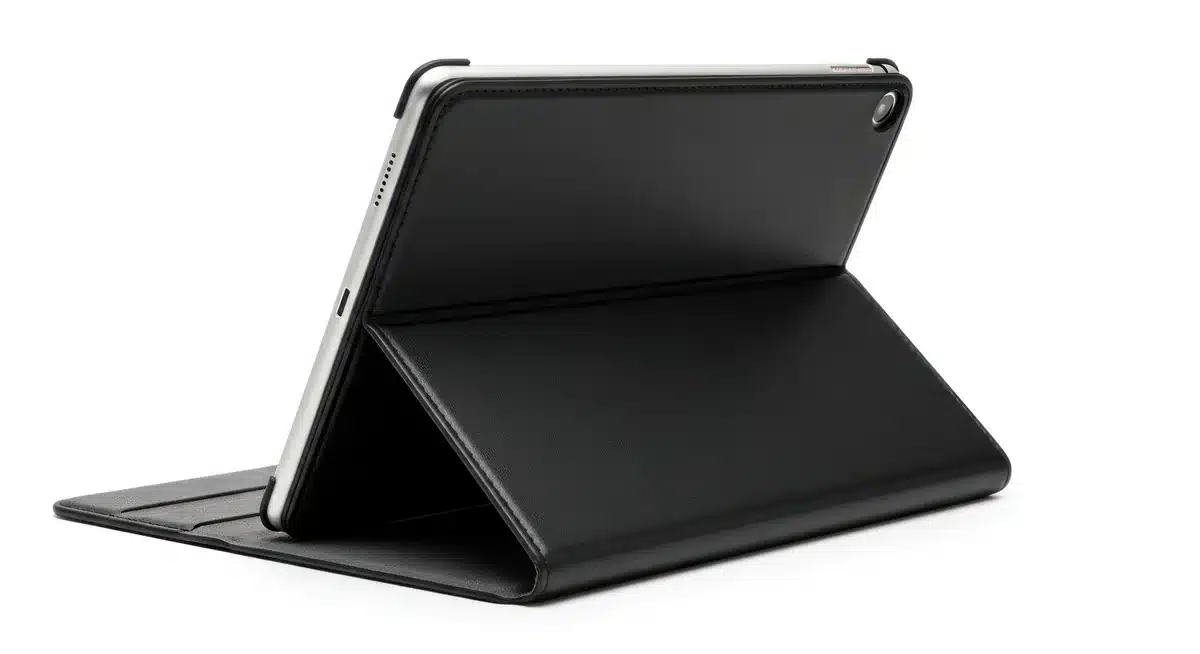
A tablet stand is fundamentally a positioning tool. It keeps the device at a usable angle — for a retail POS terminal, a warehouse check-in station, a hotel concierge desk. What it does not do is absorb impact, repel moisture, or shield the screen from a dropped stylus. The tablet itself remains fully exposed to its environment. So if the deployment context involves physical handling by multiple users, or any environment where the device moves off the stand regularly, the stand alone is not a protection solution.
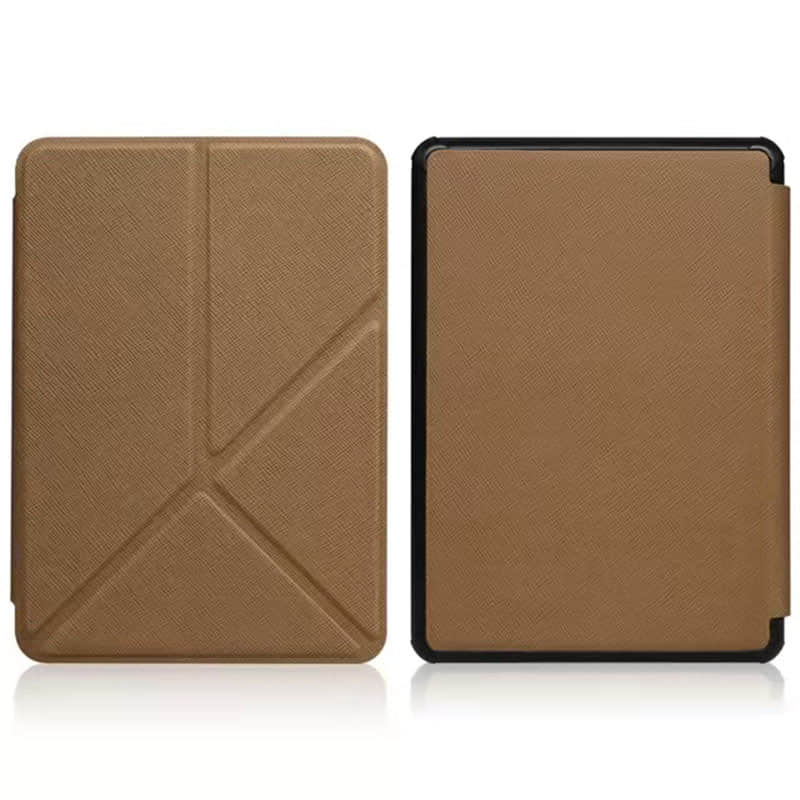
Cases work differently. A well-specified case — whether a rugged shell, a folio, or a silicone sleeve — addresses physical tablet protection options that stands simply can’t: corner impact absorption, screen coverage, dust ingress reduction, and in some configurations, water resistance. For field service teams, medical carts, or educational deployments where tablets are handed between users constantly, a case is doing the structural work.
The tablet stand vs case decision gets complicated when buyers assume these categories are mutually exclusive. They aren’t. The more productive framing for procurement is: what failure modes are we actually protecting against?
| Risk Factor | Tablet Stand | Tablet Case |
|---|---|---|
| Drop impact (device in hand) | No protection | Significant mitigation |
| Screen scratches during storage/transit | No protection | Effective with cover |
| Unauthorized removal or repositioning | Lockable models available | No inherent deterrent |
| Ergonomic fatigue (fixed viewing angle) | Strong mitigation | Limited, case-dependent |
| Dust and debris ingress | No protection | Moderate, spec-dependent |
Procurement teams sourcing at volume — particularly those working with OEM suppliers like Shuowei who support custom spec builds — often find that defining these failure modes upfront changes the entire product brief. A stand that meets IP-rated enclosure requirements is a different SKU than a basic desktop cradle. A case built for shared-device rotation in a logistics facility has different durometer and hinge specs than a consumer folio. Getting this wrong at the sourcing stage means getting it wrong across an entire fleet.
Drop, Impact, and Screen Protection — Where Cases Win
Cases win this category — and it’s not particularly close. A protective case physically encloses the tablet, meaning the device absorbs impact through the case material rather than through its own chassis. For fleet deployments in field service, warehousing, or point-of-sale environments, that distinction matters enormously when calculating device replacement rates over a two- or three-year procurement cycle.

The relevant spec here isn’t just drop height. It’s the combination of drop height, surface type, and drop angle — corner drops being the most damaging and the most common in real-world shared-device environments. Cases designed for commercial duty typically use a dual-layer construction: a rigid polycarbonate shell paired with a TPU or silicone inner layer that absorbs and disperses kinetic energy. Procurement teams specifying tablet protection options for high-rotation environments should be asking suppliers for MIL-STD-810G or equivalent test data, not just marketing language about “rugged” builds.
Screen protection is a related but separate consideration. A case that wraps the back and sides but leaves the screen fully exposed offers incomplete protection — adequate for office environments, inadequate for anything more demanding. Raised bezels, integrated screen covers, and tempered glass compatibility all factor into how a case spec should be written at the sourcing stage. Getting these details into the product brief before requesting samples is far more efficient than discovering gaps during QC.
Where does the tablet stand vs case comparison land on this specific point? Stands offer essentially zero drop or impact protection — by design. A tablet mounted in a fixed kiosk stand may actually face lower drop risk than a handheld device, but the moment it’s removed from the stand, it’s unprotected. Mixed-use deployments — where devices move between mounted and handheld use — often end up requiring both solutions, which changes the per-unit cost calculation entirely.
- Specify drop test standards (MIL-STD-810G or equivalent) in supplier RFQs
- Confirm raised bezel height and screen coverage method before sampling
- Request material data sheets for TPU/PC layer durometer ratings on high-rotation SKUs
- Clarify whether the case design accommodates accessories — charging ports, stylus loops, barcode scanners — without case removal
Stability, Tilt, and Hands-Free Use — Where Stands Pull Ahead
Fixed-angle and adjustable stands offer something a protective case simply cannot: genuine hands-free operation. For deployments where tablets function as point-of-sale terminals, patient check-in kiosks, warehouse inventory stations, or customer-facing display units, the ability to hold a device at a precise, repeatable viewing angle — without staff intervention — is not a convenience feature. It’s an operational requirement. A case, regardless of how well-engineered, still depends on a human hand or a surface to keep the screen oriented correctly.

Tilt stability is where the stand category earns its commercial justification. Quality stand mechanisms — whether friction-hinge, ratchet, or pneumatic-arm designs — maintain their set angle under repeated touch input without drift. That matters considerably in high-interaction environments. A tablet mounted at a 65-degree tilt for a self-service kiosk will absorb dozens of screen taps per hour; if the hinge softens over a product lifecycle of two or three years, the unit becomes frustrating to use and eventually unusable without adjustment. Procurement teams sourcing at volume should request hinge cycle ratings — typically expressed in thousands of open/close or tilt-adjustment cycles — and treat that figure as a durability benchmark, not a secondary spec.
The tablet stand vs case decision gets more complicated when swivel and rotation are factored in. Dual-orientation stands — those that support both portrait and landscape modes — are essential for mixed-use applications where the same device handles both document review and barcode scanning workflows. Not every stand design accommodates this without a full removal-and-remount process, which creates friction in fast-paced environments.
- Request hinge cycle test data as a mandatory field in supplier RFQs for any stand with moving parts
- Confirm swivel range and locking mechanism before approving samples — especially for shared-device deployments
- Assess base footprint relative to counter or cart dimensions; oversized bases create workspace conflicts
- Clarify whether the stand design integrates with existing tablet protection options or requires the device to be bare-mounted
That last point is worth pausing on. Some stand designs grip the tablet directly against its chassis, which means any attached case — even a slim one — may interfere with the mounting fit. Sourcing both products from the same supplier, or at minimum coordinating specs between stand and case vendors, prevents compatibility gaps that only surface after bulk orders have shipped.
Evaluating Tablet Protection Options for Commercial Environments
Commercial environments introduce a layer of complexity that most product specs don’t account for. A tablet deployed in a warehouse picking station faces fundamentally different stresses than one mounted at a hotel front desk — and the decision between tablet stand vs case configurations, or some combination of both, needs to reflect that operational reality rather than default to whatever the device manufacturer recommends.
Procurement managers evaluating tablet protection options for fleet deployments should start with environment classification before touching supplier catalogs. Dust exposure, humidity ranges, drop frequency, shared-user handling, and whether the device stays stationary or moves between locations — these variables determine whether a stand-only setup is viable or whether case-level protection becomes non-negotiable. A kiosk that never leaves a reception desk has almost nothing in common with a tablet handed between shift workers on a factory floor.
Several operational factors tend to get underweighted during procurement:
- Cleaning protocols — commercial environments often require frequent surface sanitization; not all case materials or stand coatings hold up to repeated disinfectant exposure
- Screen visibility and glare angles — stands offer adjustability that fixed case stands cannot replicate in variable-lighting environments
- Accessory compatibility — barcode scanners, card readers, and stylus loops may conflict with certain case profiles or stand mounting collars
- Repair and replacement cycles — in high-attrition deployments, a modular stand-plus-case approach can reduce per-unit replacement cost compared to integrated rugged case systems
The tablet stand vs case trade-off also surfaces in total cost of ownership calculations. Stands typically carry a higher upfront unit cost but extend device lifespan by reducing handling stress in fixed installations. Cases absorb the cost of mobility — useful when devices rotate between users or locations but less efficient when the device rarely moves.
Suppliers with OEM and ODM capabilities — the type that coordinate custom specifications across both product categories — can help buyers avoid the compatibility gaps that emerge when stands and cases are sourced independently. Confirming that a supplier can cross-reference mounting tolerances between their stand and case lines before samples are approved is a small step that prevents significant rework costs at scale.
Conclusion
The tablet stand vs case decision almost always comes down to one question: does the device move, or does it sit? If it sits — kiosk, counter, classroom cart — a stand wins on ergonomics and longevity. If it travels between hands and locations, a case earns its cost.
Don’t source them separately if you can avoid it. Tolerance mismatches between independently sourced stands and cases are a quiet budget killer at scale, and they’re almost entirely preventable if your supplier can cross-reference specs across both product lines before samples are cut.
Get that confirmation early. It’s a five-minute conversation that saves weeks of rework.
Frequently Asked Questions
Q: What is the core difference between a tablet stand vs case?
A: A case is a protective shell that travels with the device — it absorbs drops, covers ports, and keeps the screen from shattering in a bag. A stand is a fixed or semi-fixed mount designed to hold the tablet at a usable angle for a stationary user, typically on a desk, counter, or cart. The two solve completely different problems, which is why choosing the wrong one for your context tends to create friction rather than fix it.
Q: Can I use a tablet stand and case together?
A: Often, yes — but tolerance compatibility is the catch most buyers miss. A case adds thickness and changes the tablet’s outer dimensions, and many stands are designed around bare-device measurements, so the fit can be loose, unstable, or simply won’t lock. If you’re sourcing both for a deployment at scale, confirm that the stand’s mounting dimensions account for your specific case’s added depth before you approve samples.
Q: How do I choose between a tablet stand vs case for a retail or kiosk environment?
A: Stationary environments almost always favor a stand — the ergonomic angle, cable management, and anti-theft locking options you get from a purpose-built stand are things a case simply can’t replicate. A case makes sense only if staff are regularly lifting and moving the device between locations. For true fixed-point deployments — POS terminals, self-service kiosks, reception desks — a stand with an enclosure bracket is typically the cleaner, more durable solution long-term.
Q: How much does a tablet stand vs case cost at wholesale?
A: Cases generally run cheaper per unit — a basic protective case can be sourced at a fraction of the cost of a lockable, adjustable stand. Stands carry higher tooling and material costs, particularly if they include mounting hardware or aluminum components. The real cost question at scale isn’t unit price, though — it’s whether a tolerance mismatch between separately sourced stands and cases forces rework, which can quickly erase any savings from buying cheap.
Q: Why do so many businesses end up buying both a stand and a case separately — and is that a mistake?
A: It usually happens because procurement treats them as unrelated categories, ordered from different suppliers at different times. The problem is that independently sourced stands and cases frequently don’t play well together dimensionally — and discovering that after your order ships is an expensive lesson. Sourcing from a supplier who can cross-reference specs across both product lines before production starts is a straightforward way to avoid that scenario entirely.
Q: How long does a tablet stand typically last compared to a case?
A: A well-made stand — particularly one with a steel or aluminum base — can realistically outlast two or three tablet generations if it’s not subject to heavy physical abuse. Cases, by contrast, degrade faster: the corner reinforcements compress, the material yellows or cracks, and the fit loosens as the shell flexes repeatedly. For high-volume commercial deployments, stands often represent better long-term value per unit even when the upfront cost is higher.
Q: Is a tablet case worth it if the device never leaves the desk?
A: Probably not as your primary investment — a case on a stationary tablet mostly adds bulk without adding much functional value. The one exception worth considering is initial transit protection: if tablets ship to site without cases, they’re vulnerable during that leg. Some operations fit a basic case for shipping and transit only, then transfer devices into stands on arrival, which is a reasonable middle-ground approach rather than an either/or decision.
Q: What should I ask a supplier when comparing tablet stand vs case options for a custom order?
A: Ask three things upfront: whether the stand dimensions account for a cased device or a bare device, whether OEM branding is available on both products, and whether samples can be cross-tested before your full run is approved. Suppliers who can answer all three without hesitation — and who proactively flag spec conflicts between their stand and case lines — are the ones worth working with at scale. That five-minute conversation at the sample stage prevents weeks of rework later.