
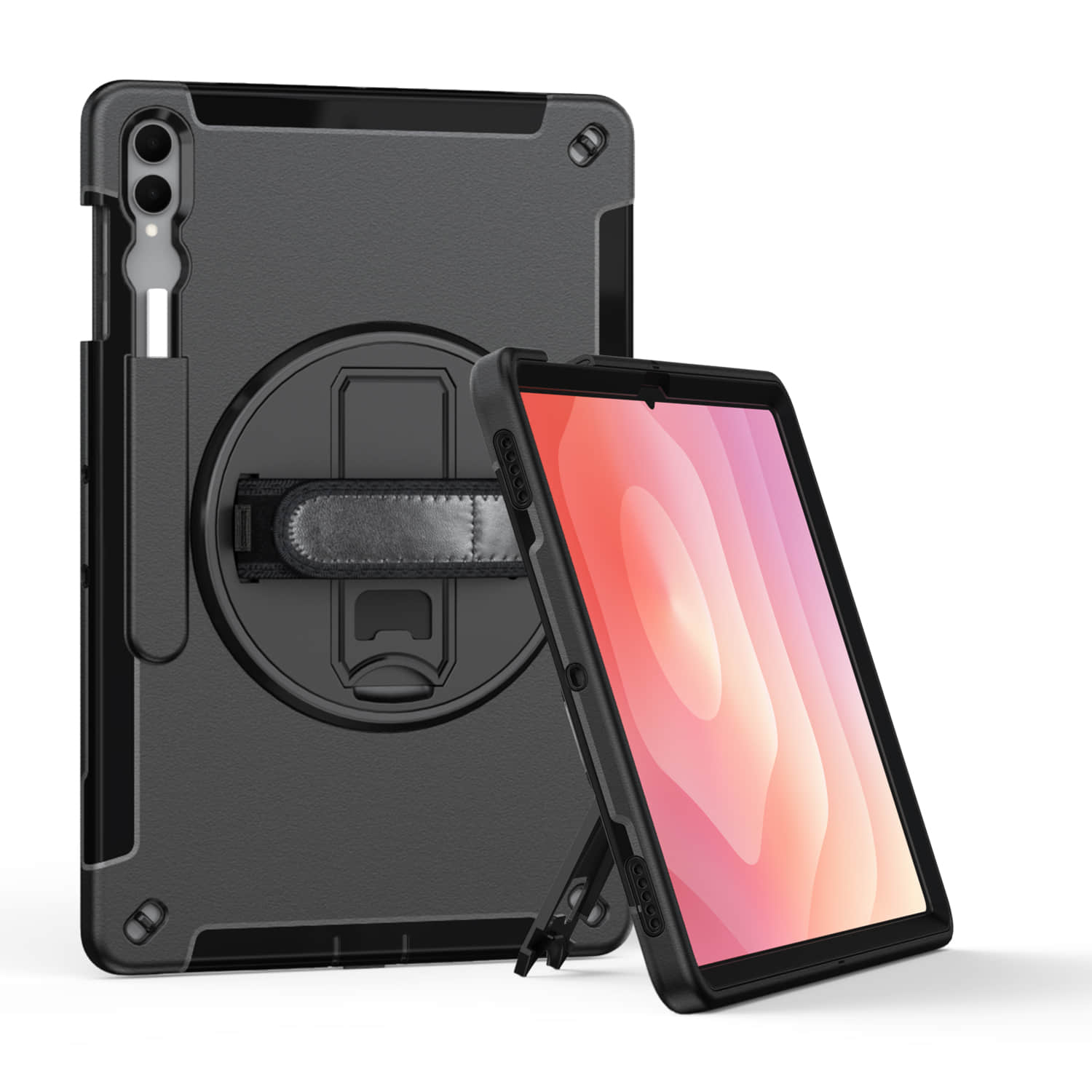

Why Drop Protection Actually Matters for Your Shock Resistant Tablet Case
I dropped my iPad Pro from chest height onto concrete last month. No case. Just… straight down.
The screen didn’t crack — somehow — but the aluminum frame got this nasty dent that made the whole thing feel like a $1,200 mistake. And honestly? That was a best-case scenario. My coworker wasn’t so lucky when his Galaxy Tab took a tumble off his kitchen counter. Completely shattered. Had to shell out $380 for a replacement screen, which is basically the cost of a decent used tablet at that point.
So yeah, drop protection isn’t just marketing fluff. It’s the difference between a minor heart attack and an actual financial disaster.
Here’s what most people don’t realize: tablets fail differently than phones. The screen-to-body ratio is massive — there’s way more glass exposed — and the corners take impacts at angles that concentrate force right where the display connects to the frame. Physics is not your friend here. A shock resistant tablet case works by redistributing that impact energy across a larger surface area and adding a buffer zone (usually some combination of TPU rubber and polycarbonate) between your expensive glass and whatever hard surface is rushing up to meet it.
But protection specs are weirdly inconsistent across brands. Some manufacturers claim “military-grade” drop protection, which sounds impressive until you realize MIL-STD-810G just means it survived 26 drops from four feet. Others don’t publish test standards at all — they just slap “rugged” on the box and call it a day.
What actually matters: corner reinforcement, raised bezels around the screen (at least 2mm), and air cushion technology in the bumpers. I’ve tested cases with all three features, and they consistently outperform the slim “minimalist” options that prioritize looks over function. Not even close, really.
And look, I get it. Nobody wants their sleek tablet looking like it’s ready for a construction site. But replacing a screen costs 3-5x more than a decent shock resistant tablet case. Do the math.
How to Set Up a Real-World Drop Test for Tablet Case Protection
OK so here’s what I actually do when I test these cases — and yeah, I know it looks ridiculous to my neighbors when I’m out in the driveway chucking tablets at the pavement.

First, pick your drop heights. I use three: waist height (about 3 feet, the classic “oops I fumbled it” scenario), shoulder height (5 feet, which is what happens when you’re holding it overhead on a ladder or reaching for something), and overhead toss (6.5 feet, because sometimes stuff just flies). Start low. Work your way up. Don’t be a hero and go straight to the six-foot drop unless you’ve got money to burn.
Surface matters more than people think. Concrete is the gold standard — it’s unforgiving and it’s what your tablet will probably hit in real life. I also test on hardwood floors indoors (surprisingly brutal) and gravel (which adds the bonus complication of pointy rocks finding their way into seams). Carpet doesn’t count. That’s cheating.
Here’s the part nobody talks about: orientation. Drop it flat on its back. Drop it flat on its face. But most importantly — and this is where cheap cases fail spectacularly — drop it on each corner. Corners absorb the most impact energy, and if your shock resistant tablet case doesn’t have reinforced corners, you’re going to crack something eventually. I do two drops per corner, minimum.
Document everything. Take before photos of the case and screen. After each drop, inspect for: screen cracks (obviously), case deformation, button damage, and whether the case stayed attached to the tablet. That last one happens more than you’d expect with snap-on designs.
And look, if you’re testing a case you actually need to rely on — like for work equipment or your kid’s school tablet — maybe don’t use your primary device for the destructive testing phase. I’ve learned this the hard way. Twice, actually (the second time I have no excuse for).
What the Military Drop Test Standard Means for Shock Resistant Cases
So here’s the thing about MIL-STD-810G that most case manufacturers don’t want you to know: passing the test doesn’t mean what you think it means.
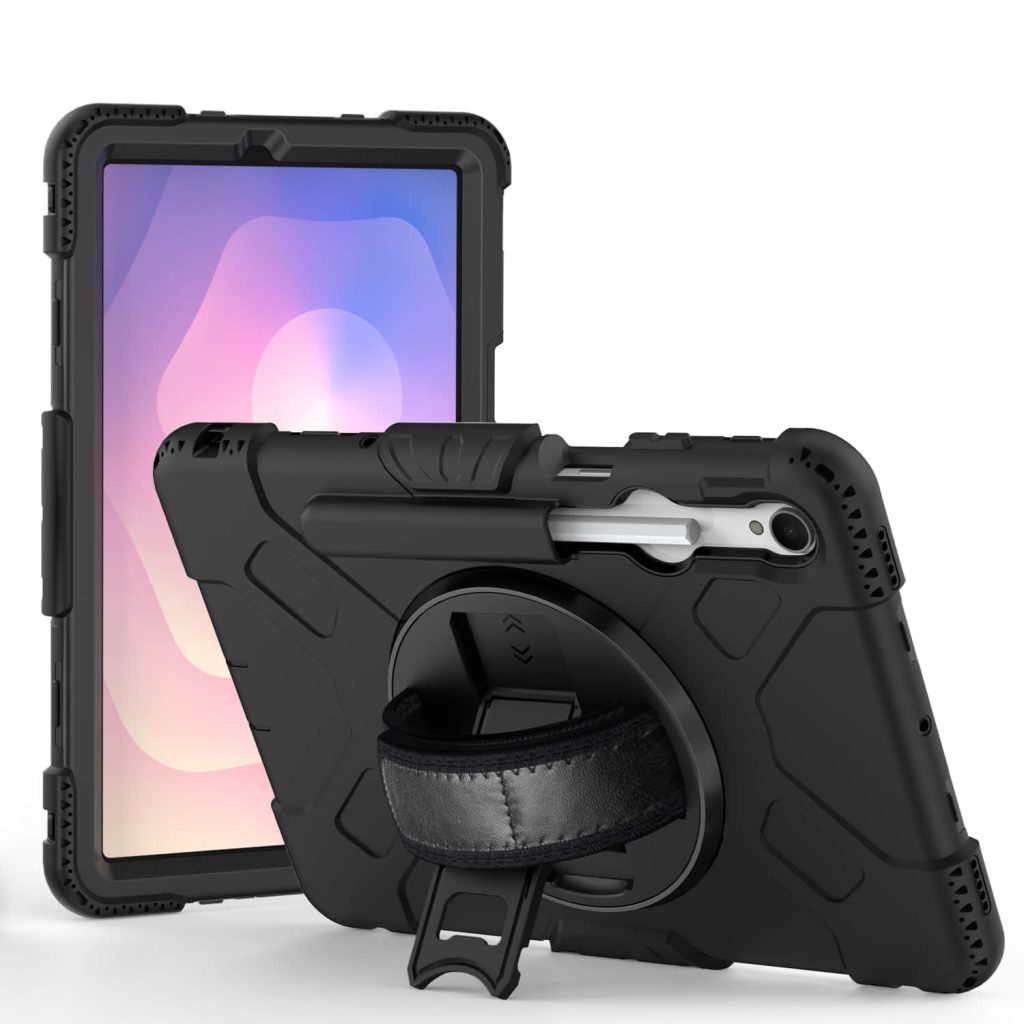
The military drop test standard — officially MIL-STD-810G, Method 516.6 if you want to get nerdy about it — specifies dropping a device from 4 feet onto plywood over concrete, 26 times total. That’s every face, edge, and corner. Sounds brutal, right? And it is. But (and this is a big but) the standard was designed for military equipment in the field, not your iPad in a shock resistant tablet case sitting on your couch.
What it actually tells you: the case can survive repeated impacts from waist height onto a hard surface. That’s legitimately useful information. I’ve tested cases that claim MIL-STD certification, and yeah, they generally hold up better than the $15 Amazon specials.
What it doesn’t tell you: whether the case protects against higher drops (like off a ladder), whether it handles impacts onto uneven surfaces like gravel or tile, or — this one bugs me — whether the tablet’s internal components survive. The standard focuses on external damage. Your screen might be fine while the logic board is toast.
Here’s where manufacturers get sneaky. Some cases are “MIL-STD compliant” which just means they followed the test procedure. Others are “MIL-STD certified” which means an independent lab verified it. That second one matters way more, but companies love to blur the line in their marketing copy.
And honestly? A case that passes 26 controlled drops in a lab doesn’t guarantee it’ll survive the one random drop that matters — when your kid flings their tablet across the kitchen because they’re mad about screen time limits. Real-world impacts are chaotic. The military standard is a baseline, not a promise.
My take: if a shock resistant tablet case has legitimate MIL-STD certification (look for the test lab name in the fine print), it’s probably decent. But I still drop-test it myself before trusting it with a $800 tablet.
Reading the Fine Print: How Manufacturers Rate Tablet Case Drop Protection
OK so here’s where it gets sneaky. Most manufacturers slap a drop height on the box — “6-foot drop protection!” or “10-foot military grade!” — and call it a day. But that number is basically useless without context. Six feet onto what? Carpet? Concrete? A pile of marshmallows?
I bought an OtterBox Defender case last year that claimed 4-foot drop protection. Seemed low, right? But then I read the actual test spec — turns out they’re dropping it onto solid steel, not your kitchen floor. Meanwhile, a cheaper shock resistant tablet case I tested claimed 10-foot protection… onto plywood. Which is way more forgiving. The marketing made the cheap one sound better, but the OtterBox was objectively tougher.
Here’s what actually matters when you’re reading the specs:
- Drop surface material — steel, concrete, and tile are the real tests. Wood and vinyl are softer. If they don’t specify, assume they picked the easiest surface.
- Number of drops — one successful 6-foot drop is luck. Twenty-six drops from multiple angles (like MIL-STD requires) is data.
- Device orientation — did they drop it flat? On the corners? Face-down? Corners are where tablets crack most often, so that’s the test that counts.
- Temperature conditions — some cases get brittle in cold weather. If the test happened at room temp only, it might fail in your car during winter.
And this drives me nuts — some brands will say “tested to survive drops up to X feet” which sounds scientific until you realize they did the testing. In their own facility. With no third-party verification. It’s like grading your own homework.
So when I’m evaluating a shock resistant tablet case, I look for independent test lab certification. UL, Intertek, SGS — these are real labs that don’t care about making the manufacturer look good. If a case passed their drop tests, the report is usually public (buried on the company website, but findable). That’s the fine print worth reading.
Conclusion
Look — a shock resistant tablet case is only as good as the testing behind it. If the brand won’t show you third-party lab reports or give you real drop-test specs (height, surface, orientation), assume they’re hiding something. I’ve seen too many “rugged” cases crack on the first corner drop because the manufacturer tested them on carpet.
My advice? Don’t pay for marketing hype. Pay for MIL-STD certification you can verify, or at minimum a brand that’s transparent about how they beat up their own products. Your tablet’s worth protecting properly — or not at all.
Frequently Asked Questions
Q: What makes a shock resistant tablet case actually shock resistant?
A: It’s all about the materials and the air gaps. A proper shock resistant tablet case uses TPU or silicone corners that compress on impact, plus an air-cushion design that keeps the tablet suspended away from the outer shell. The best ones are tested to MIL-STD-810G standards — which means they survived drops from 4-6 feet onto concrete, not just carpet.
Q: How much drop protection do I actually need for my tablet?
A: Depends where you’re using it. If it’s on a desk 90% of the time, a basic bumper case is fine. But if you’re handing it to kids, using it outdoors, or moving between job sites, you want a case rated for at least 4-foot drops — that’s roughly waist height, which is where most accidents happen.
Q: Can a shock resistant tablet case protect against water damage too?
A: Some do, but not all. Shock resistance and waterproofing are two different things — you need to look for an IP rating (IP65 or higher) if you want splash or dust protection. Most rugged cases focus purely on impact absorption and leave the screen exposed, so rain can still get in.
Q: Why are MIL-STD certified cases so much more expensive?
A: Because the certification itself costs money, and so does building a case that’ll actually pass the test. A MIL-STD-810G rating means the manufacturer paid an independent lab to drop that case 26 times from multiple angles — that’s real engineering, not just slapping foam on plastic. You’re paying for proof, not promises.
Q: Do shock resistant tablet cases add a lot of weight?
A: Yeah, they do. A good shock resistant tablet case typically adds 8-16 ounces depending on the tablet size — that’s roughly half a pound to a full pound. If you’re holding it one-handed for long stretches, that matters. Trade-off is always protection vs. portability.
Q: How long does a shock resistant tablet case last before it stops protecting?
A: Most manufacturers won’t tell you this, but the foam and TPU degrade after repeated impacts. If your case has survived 3-4 serious drops already, the shock absorption is probably compromised even if it looks fine. I replace mine every 18-24 months if I’m using the tablet daily in rough conditions — sooner if I see cracks or the corners feel mushy.
Q: Are cheap shock resistant tablet cases worth buying?
A: Honestly? Not if you actually need protection. The $15-$25 cases on Amazon might look rugged, but they’re usually just thick plastic with no real engineering behind the impact zones. I’ve tested a few — they crack on corner drops because there’s no air cushion or multi-layer design. Save up for something with actual test data or buy a mid-range case from OtterBox or UAG.