

Why Magnetic Phone Mounts Scratch Your Dashboard (And How to Stop It)
I pulled into my driveway last month and noticed something weird: a perfect circle etched into my dashboard. Not a scratch, exactly — more like the finish had been rubbed away in this smooth, shiny ring. Took me a second to realize it was from my magnetic phone mount.
Turns out the magnet isn’t the problem. It’s what’s around the magnet.
Most magnetic car phone mounts have a metal ring or plate on the back — sometimes it’s stainless steel, sometimes it’s just cheap aluminum — and that metal sits flush against your dash. Every bump, every turn, every time you hit the brakes a little too hard, that plate shifts. Just a tiny bit. But over weeks and months, it’s basically sanding your dashboard finish with microscopic movements. And if there’s any grit or dust trapped between the mount and the dash? You’re basically using 400-grit sandpaper on your interior.
So here’s what actually works to stop it:
- Stick a thin felt pad or silicone bumper on the back of the mount base. You can grab adhesive felt dots at any hardware store for like three bucks. Game changer.
- Clean both the mount and your dash before installation — I mean really clean it, not just a quick wipe. Use isopropyl alcohol. Get all the dust and oils off.
- Check the mount every couple weeks and wipe it down. Dust accumulates faster than you think (especially if you live anywhere with dirt roads).
- If your magnetic car phone mount came with a super rigid base, consider swapping it for one with a rubberized back. The slight give absorbs vibration instead of transferring it straight to your dash.
And look — if you’ve already got scratches, you can usually buff them out with a plastic polish. I used Meguiar’s PlastX on mine and it mostly disappeared. Mostly. But prevention beats repair every single time.
Prepping Your Car Surface Before Installing a Magnetic Mount
OK so I’m gonna be real with you: most people skip this step entirely, slap the mount on their dash, and then wonder why it falls off two days later. I did this. Twice. Don’t be me.
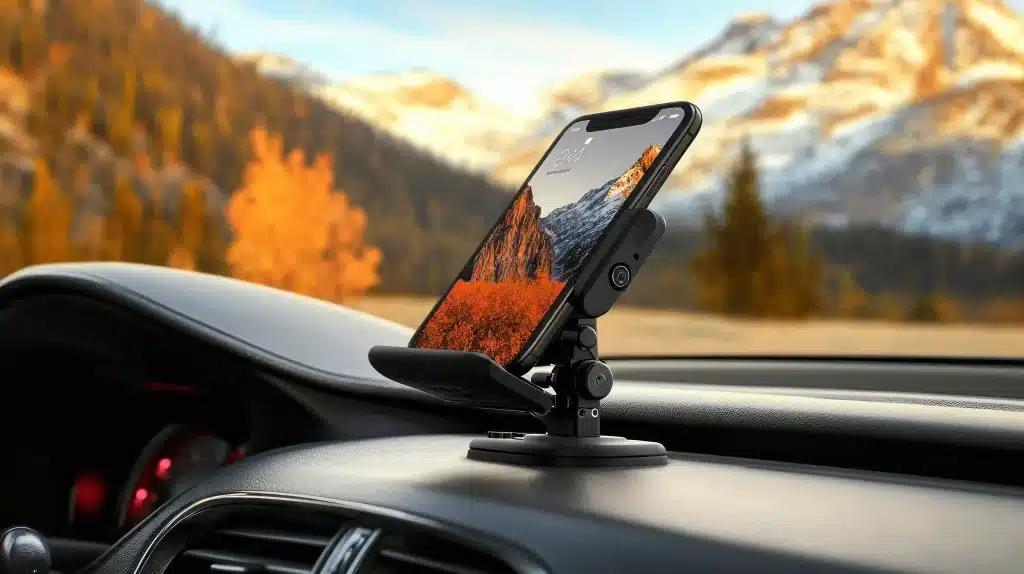
The surface you’re sticking your magnetic car phone mount to matters way more than the mount itself — and I’m not exaggerating. You could buy the most expensive mount on the market, but if your dashboard’s covered in dust, oils from your hands, or that weird film that accumulates from air fresheners (you know the one), it’s not gonna hold. Period.
Here’s what actually works:
- Start with isopropyl alcohol, 70% or higher. Not Windex. Not those pre-moistened screen wipes. Actual rubbing alcohol from the pharmacy aisle.
- Wipe down your chosen spot — and I mean scrub it a little. You’re trying to remove invisible oils and residue, not just visible dirt.
- Let it dry completely. Like, actually wait two minutes. I know you won’t want to, but do it anyway.
- If you’ve got a textured dashboard (most cars made after 2015 have that slightly grippy surface), consider the adhesive pad that probably came with your mount. The magnetic base alone won’t cut it on textured plastic.
- Wipe the back of the mount itself too — manufacturing residue is a real thing, and it creates a barrier between the adhesive and your dash.
And look, if you’re mounting to a windshield instead of the dash, this gets even more critical. Glass shows everything. Any streak, any fingerprint — it’ll compromise the seal. I use those blue shop towels (the ones mechanics use) because they don’t leave lint behind like paper towels do.
One more thing that nobody tells you: temperature matters. If your car’s been sitting in the sun and the dash is hot to the touch, wait until it cools down. Adhesives don’t bond properly to hot surfaces — they get too soft and never fully cure. Learned that one the hard way in a Phoenix parking lot in July.
So yeah. Five minutes of prep saves you from re-mounting your phone holder every week. Worth it.
Step-by-Step: Installing Your Magnetic Car Phone Mount Without Damage
OK so you’ve got your dash clean and you’re ready to actually stick this thing on. Don’t just slap it down. Seriously.
Here’s what actually works:
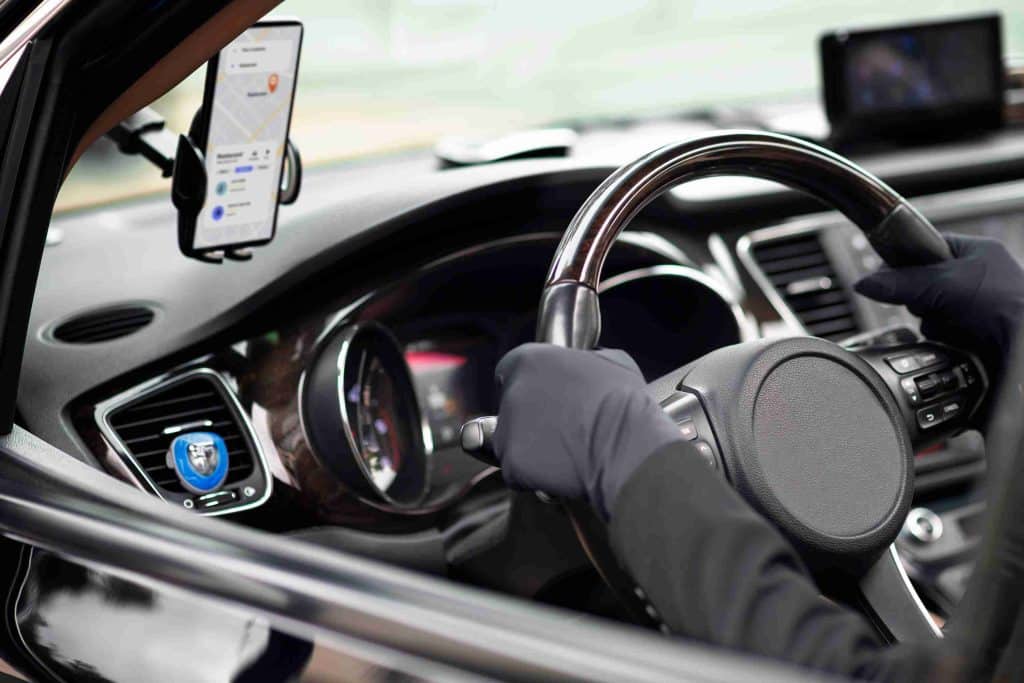
- Position it first without removing the adhesive backing. Hold the mount where you think you want it and actually reach for it like you’re grabbing your phone. Can you touch it without leaning forward? Does it block any vents or buttons? I mounted mine too far to the right once and couldn’t reach the defrost button without moving the whole mount. Annoying.
- Mark the spot with a tiny piece of painter’s tape. This sounds excessive but trust me — once that adhesive touches down, you get maybe two seconds to adjust before it’s committed. The tape gives you a reference point.
- Peel the backing and let it breathe for 10 seconds. Yeah, this seems backwards. But the adhesive actually gets tackier when it’s exposed to air briefly. I learned this from a guy who installs dashcams professionally (he was mounting one in my car and I asked way too many questions).
- Press it down with serious pressure for 30 seconds minimum. Not a light tap. Really lean into it. The adhesive needs pressure to bond with all those microscopic textures in your dashboard material. I use my palm and actually count to 30 out loud because I’m impatient and will definitely shortcut this otherwise.
- Don’t attach your phone for 24 hours. I know. I know! You want to use it immediately. But the adhesive continues curing for a full day, and if you stick a heavy phone on there before it’s fully set, you’re basically starting the countdown to failure. Leave your car parked overnight if you can.
One thing nobody mentions in the instructions — temperature swings matter during this curing period. If you install your magnetic car phone mount in the morning and then park in direct sun all afternoon, that heat cycle can actually help the bond strengthen. But extreme cold? That’ll slow the cure. So maybe don’t do this in January if you live in Minnesota.
And here’s a weird tip: after the 24 hours, test the bond by trying to twist the mount (gently). Not pull it off — twist it. If it rotates at all, the adhesive didn’t fully bond and you should probably start over. Better to know now than when your phone goes flying during a hard turn.
Protective Tricks That Keep Your Dashboard Looking New After Mount Installation
So I scratched my dashboard once. Not from a mount — from a stupid keychain that slid around during a quick stop. Cost me $180 to get the trim piece replaced because apparently you can’t just “buff out” textured plastic. Ever since then, I’m paranoid about anything that touches my dash.
The adhesive pad on your magnetic car phone mount isn’t going to scratch anything during normal use, but here’s what will: dust that gets trapped between the pad and your dashboard. Seriously. It acts like sandpaper over time, especially if your car vibrates a lot (looking at you, diesel truck owners). Every few months, pull the mount off — gently, don’t yank it — and wipe down both the adhesive pad and the dashboard surface with a microfiber cloth. Not a paper towel. Those leave micro-scratches.
If you’ve got a leather or faux-leather dashboard, you need to be extra careful about the cleaning solution you use before reinstallation. Regular glass cleaner or rubbing alcohol will dry out the material over time and cause cracking around the mount area. Use a dedicated leather cleaner instead, or just distilled water if you’re being cheap (I won’t judge).
And this might sound weird, but rotate your mount’s position slightly every six months or so. Not a huge move — just half an inch in any direction. This prevents that permanent “ghost outline” you see on some dashboards where the adhesive has been sitting in the exact same spot for years. The UV exposure difference creates a color variation that’s basically permanent.
One more thing nobody thinks about: temperature protection. If you park in direct sun regularly, those adhesive pads can start to break down and leave a sticky residue that’s a nightmare to remove. I keep a sunshade in my car specifically because of this — not for the seats, but for the dashboard-mounted stuff. Costs like $15 and saves you from scraping adhesive gunk with a credit card later.
But honestly? The best protection is just being aware. Check your mount once a month. Look for discoloration around the edges. Feel for any stickiness. Catch problems early.
Conclusion
Look — a Magnetic Car Phone Mount isn’t complicated tech, but the difference between a good one and a garbage one is huge. You want strong magnets, solid build quality, and a mounting method that actually survives summer heat. That’s it.
Don’t overthink this. Pick something that fits your car’s layout, check it once a month for wear, and you’re golden. I’ve had the same mount for three years now because I bought smart the first time instead of replacing a cheap one every six months.
Your phone’s going in your car anyway. Might as well make sure it stays where you put it.
Frequently Asked Questions
Q: Will a Magnetic Car Phone Mount damage my phone or mess with my credit cards?
A: Nope — modern phones don’t have components that magnets can damage, and the magnetic field isn’t strong enough to wipe credit cards in your phone case. I’ve been using one for years with cards in my case and they’re fine. The only thing to watch is if you have a pacemaker or similar medical device, but that’s a different conversation entirely.
Q: How strong do the magnets need to be to actually hold my phone?
A: You want at least 1,200-1,500 gauss for a reliable hold on bumpy roads. Anything less and your phone’s doing the dashboard dance every time you hit a pothole. Heavier phones (like the Pro Max models) really need closer to 2,000 gauss if you don’t want to be paranoid the whole drive.
Q: Can I use a Magnetic Car Phone Mount with a thick phone case?
A: Depends on the case thickness — most Magnetic Car Phone Mounts work fine with cases up to 3-4mm thick. Bulky Otterbox Defenders or wallet cases? You’re pushing it. The metal plate needs to be close enough to the magnets to actually grip, so super thick cases kill the magnetic connection.
Q: Do I have to stick a metal plate on my actual phone?
A: Not if you don’t want to. You can stick the plate between your phone and case, which is what most people do. Some newer phones have MagSafe built in, so you can skip the plate entirely if you get a MagSafe-compatible mount — way cleaner setup.
Q: What’s the best place to mount it in my car?
A: Dashboard or vent, depending on your car’s layout and what you can actually reach while driving. I prefer dashboard mounts because vent clips can break your AC fins over time, but some cars have terrible dashboard angles. Just make sure wherever you put it doesn’t block your view or require you to lean forward to grab your phone.
Q: How long does a good Magnetic Car Phone Mount actually last?
A: A quality one should last 2-3 years minimum if you’re not abusing it. The adhesive usually gives out before the magnets do — heat cycles are the killer. Cheap ones from gas stations? Six months if you’re lucky, then the whole thing’s sliding down your dashboard mid-turn.
Q: Will the mount interfere with wireless charging?
A: The metal plate will block wireless charging if you stick it dead center on your phone. Put it off to the side or near the top, and most wireless chargers work fine. Or just go with a MagSafe mount and skip this headache completely.