

Tablet Stand vs Case: What B2B Buyers Actually Need to Decide First
The tablet stand vs case decision looks straightforward on the surface — until procurement gets involved. At that point, the choice stops being about personal preference and starts being about deployment context, unit economics, and what happens when something breaks at scale.
The real cost calculation for tablet protection options — whether stands, cases, or both — runs deeper than the per-unit quote on a supplier’s proforma. Replacement cycles, compatibility across device generations, labor for installation or mounting, and the logistics overhead of managing two separate SKUs instead of one: these are the line items that quietly inflate the actual spend. A case that costs 30% less per unit but requires replacement every eight months may outperform a stand on paper and underperform badly in practice.
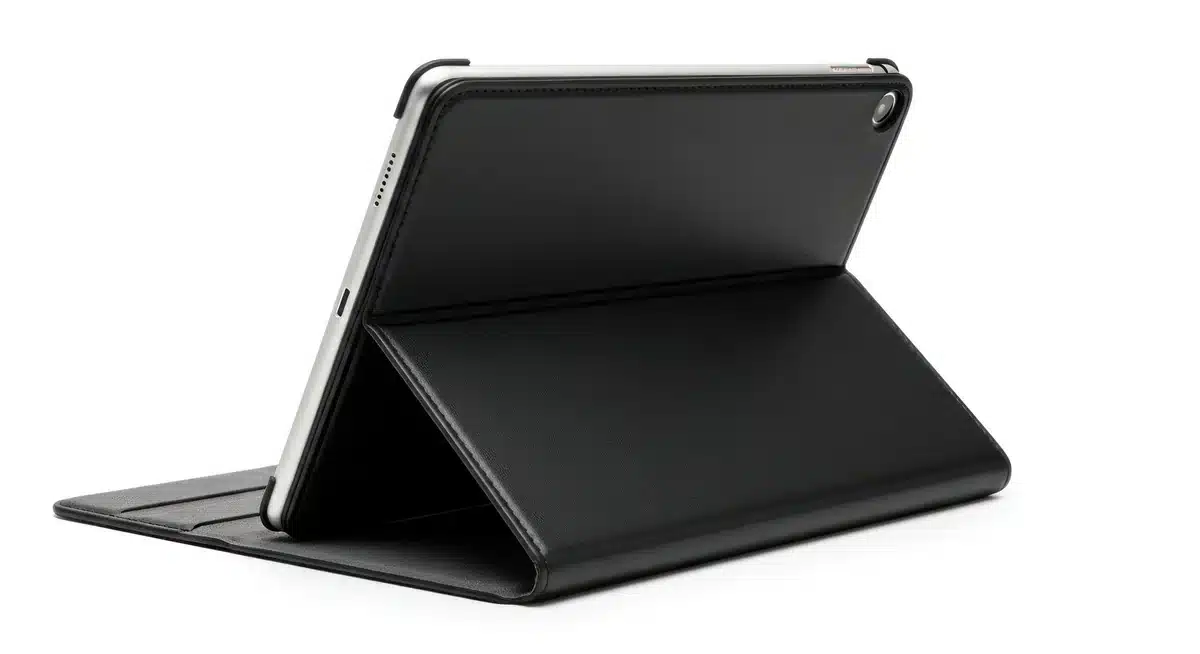

Stand procurement carries its own hidden math. Fixed-mount and floor-standing configurations often involve installation costs that don’t appear in the product quote — hardware, labor, potential surface modification. For multi-site rollouts, those costs multiply. And if the device spec changes mid-contract (which happens more often than buyers plan for), proprietary mount systems can strand an entire inventory of stands that no longer fit the replacement tablet model.
Cases have a different cost profile. Per-unit pricing is lower, MOQs are generally more accessible for pilot programs, and the absence of installation overhead makes them easier to deploy at scale. The trade-off is durability and the cumulative cost of attrition — damaged or lost cases across a large fleet add up, and the administrative burden of tracking replacements is real.
| Cost Factor | Tablet Stand | Tablet Case |
|---|---|---|
| Unit price range | Higher | Lower |
| Installation overhead | Often present | Minimal to none |
| Replacement frequency | Lower (if device spec is stable) | Higher (wear and attrition) |
| SKU management complexity | Lower (single-use item) | Can multiply across device models |
| Device compatibility risk | Higher (mount systems vary) | Moderate (model-specific fit) |
The tablet stand vs case decision, viewed through a total cost of ownership lens, often comes down to deployment scale and device lifecycle predictability. Buyers sourcing for stable, high-traffic environments with a fixed device model tend to find stand solutions cost-justified over a two-to-three year horizon. Those managing diverse or frequently updated device fleets — or running smaller distributed deployments — typically find the flexibility of cases more economical when all factors are counted. Suppliers with OEM/ODM capability and export-oriented fulfillment experience, like Shuowei, can support both paths with custom specifications, which removes at least one variable from an otherwise complicated procurement calculation.
Sourcing Tablet Stands and Cases at Scale — MOQ, Lead Times, and Supplier Criteria
Scaling a tablet accessory program introduces procurement variables that single-unit buyers rarely encounter — and the tablet stand vs case decision starts to look very different once volume, vendor reliability, and lead time constraints enter the picture.
MOQ thresholds vary considerably between product categories. Protective cases — especially those with OEM branding or custom colorways — typically carry lower minimum order quantities than purpose-built mounting stands, which involve more complex tooling and structural components. That said, buyers ordering stands at volume often benefit from stronger per-unit economics, particularly when locking in a fixed device model across a deployment. The unit cost gap between retail-sourced and direct-factory-sourced tablet protection options widens fast once orders move past a few hundred units.
Lead times are where procurement managers get caught out. Standard production runs for custom-spec cases — printed logos, non-standard materials, specific port cutouts — commonly run four to eight weeks from order confirmation, not from initial inquiry. Stands with integrated electronics (charging pins, cable management, powered rotation) carry longer tooling cycles. Building a twelve-to-sixteen week buffer into project timelines, including quality inspection and shipping, is realistic for first-order production. Repeat orders with an established supplier run shorter, assuming tooling is retained.
Supplier qualification criteria worth applying at scale:
- Export documentation capability — commercial invoices, packing lists, certificates of origin, and any product-specific compliance records relevant to destination markets
- OEM/ODM flexibility — whether the factory can execute on custom specifications or only ships catalog product
- Quality control process — in-line inspection, pre-shipment inspection options, and defect rate reporting from previous orders
- Project coordination responsiveness — how quickly a supplier moves from sample approval to production scheduling matters operationally
- Capacity confirmation — can the supplier fulfill a reorder at the same spec without substituting materials mid-run
Suppliers like Shuowei, which operate specifically in the B2B and export-oriented space, tend to be better positioned for these conversations than general-purpose trading companies — the infrastructure for custom sourcing support, QC coordination, and order fulfillment is already built in, rather than bolted on after the fact.
Conclusion
The tablet stand vs case debate really does come down to one question: are you moving around, or are you set up? Protection wins when the device is in transit. Ergonomics win when it’s sitting on a desk for four hours while you work through something.

Neither is wrong. But picking the wrong one for your actual use case — that’s where buyers waste money.
If you’re sourcing either product at volume, spend as much time vetting the supplier as you do comparing SKUs. A case that ships with inconsistent cutouts or a stand that wobbles because a material got quietly substituted mid-run will cost you far more than the unit price difference ever saved.
Frequently Asked Questions
Q: What’s the real difference between a tablet stand vs case when it comes to everyday use?
A: A case travels with the device — it absorbs drops, blocks dust, and keeps ports clean when the tablet is moving between rooms, bags, or hands. A stand is a stationary tool; it positions the screen at a comfortable angle so you’re not hunching over a flat surface for hours. The confusion happens because some products try to do both, and most do one of the two poorly.
Q: Can a folio case actually replace a dedicated tablet stand?
A: For light use — propping up a tablet on a desk during a video call — a folio case with a built-in kickstand is often enough. Where it falls short is adjustability: most folio cases offer one or two fixed angles, while a dedicated stand lets you dial in the exact height and tilt that works for your setup. If ergonomics matter (long work sessions, eye-level viewing), a proper stand wins every time.
Q: How do I choose between a tablet stand vs case when I’m buying in bulk for a business?
A: Start with the use case, not the price. Devices that move — field workers, retail floor staff, shared classroom tablets — need protective cases with consistent cutout tolerances and reliable clip retention. Devices that stay put — kiosks, reception desks, training stations — are better served by purpose-built stands. Sourcing both from a supplier with OEM/ODM capability means you can spec materials and configurations that actually match how the hardware gets used, rather than settling for whatever’s in stock.
Q: Why do tablet stands cost so much more than cases at the same tier?
A: Stands involve more complex mechanisms — hinges, pivot points, weighted bases — and often use heavier materials like aluminum alloy or steel to prevent wobble. Cases, by contrast, are mostly molded polymer or fabric over a shell, which is cheaper to produce at scale. The price gap widens further at the premium end, where stands with full-range articulation and locking positions carry significantly higher tooling and assembly costs than even a well-made protective case.
Q: Is it worth buying both a tablet stand and a case, or is that overkill?
A: For most users — especially in professional or semi-professional settings — owning both makes practical sense. Keep the case on the tablet permanently for protection during transit, and dock it into a stand at the desk. The two products solve different problems, so calling it overkill is a bit like saying you don’t need both a bag and a desk.
Q: How long do tablet stands typically last compared to cases?
A: A well-made metal stand can outlast two or three tablet generations — the mechanism is what fails first, usually through hinge wear or a loose locking joint. Cases have a shorter useful life because the material degrades: silicone gets sticky, polycarbonate yellows, and corner protection compresses over time. If you’re sourcing at volume, this lifespan difference matters for your replacement cycle planning and your total cost per unit.
Q: What should I look for in a tablet case to make sure it actually protects the device?
A: Corner reinforcement and raised lip depth are the two specs most buyers overlook — the lip around the screen needs to sit above the glass surface so a face-down drop doesn’t make direct contact. Beyond that, check cutout precision; a case where the charging port cutout is even slightly off-center creates stress on the connector over time. Material drop ratings (when they exist) should reference a specific drop height, not just say “shockproof.”
Q: In the tablet stand vs case debate, which option is better for customer-facing retail or kiosk environments?
A: Stands — specifically enclosure-style or locking kiosk stands — are the right call for fixed retail environments where the tablet doesn’t leave the counter. They allow for consistent screen positioning, can be bolted to a surface for security, and often accommodate cable management in a way no case can match. A case in that context is mostly just adding unnecessary bulk to a device that isn’t going anywhere.